
Amazing Aurora
Sharp Rock VenturesWeather
4.319.00 Reviews
- Version
- 12.1.2
- Installs
- 10.00K
- Age Rating
- Everyone
Screenshots
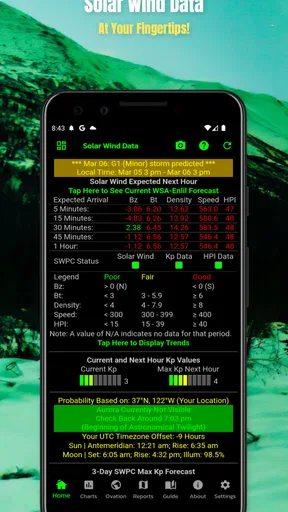
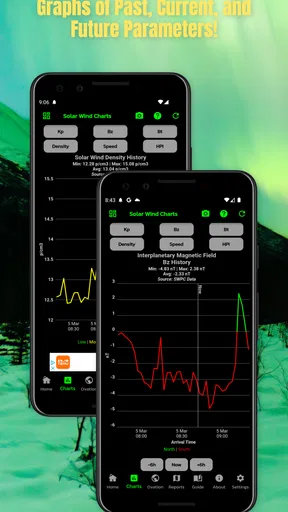
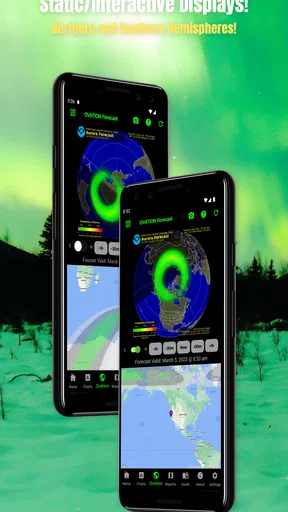
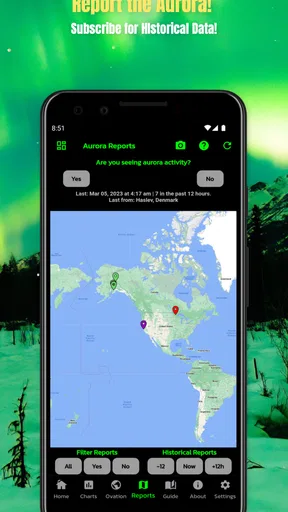
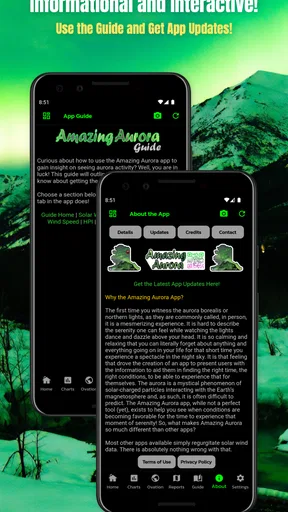
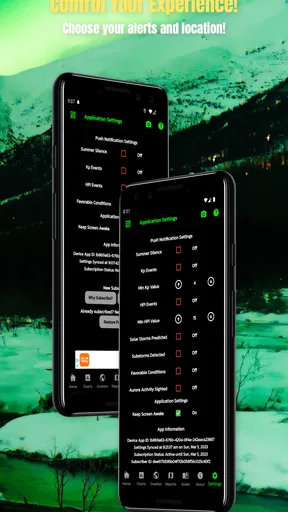
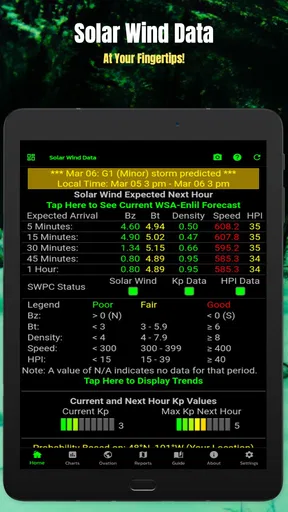
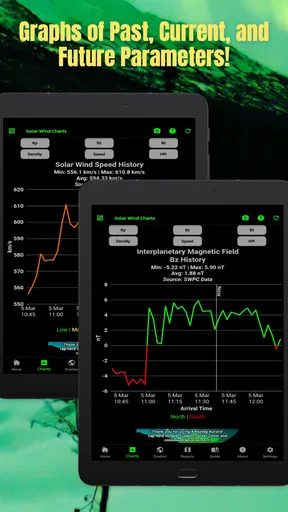
Our Review of Amazing Aurora
 Analysis by Appyee
I approached Amazing Aurora as a practical weather companion rather than a general forecast replacement. Its purpose is narrow but appealing: it helps you judge the potential for seeing the aurora. That focus makes it useful for someone planning an evening outside, checking whether a trip is worth adjusting, or simply learning when the sky might offer something special. It is developed by Sharp Rock Ventures and is available as a free app for everyone.
My first impression is that the app makes more sense when treated as a decision aid, not a promise. Aurora viewing depends on more than opening an app and seeing a favorable indication. Clouds, local light pollution, timing, location, visibility and your willingness to go outside all matter. The value here is in narrowing down the occasions that deserve attention, while keeping expectations realistic.
Getting started without turning a quick check into a chore
The most common point of friction with a focused weather app is knowing what its information means in practice. A person may open it expecting a simple yes-or-no answer, then wonder whether a positive outlook means the aurora will be visible from the backyard, somewhere nearby, or only under unusually dark skies. I found it more helpful to read the result as an opportunity signal. It tells me when checking the sky could be worthwhile, rather than guaranteeing a display.
Before relying on a result, I would make a few basic checks. The phone should have a stable connection when refreshing information, the app should be allowed to complete its normal loading process, and the device's location context should make sense for where you intend to watch. If the displayed outlook seems unrelated to your plans, I would first check whether the app is considering the wrong place rather than assuming the forecast itself is broken.
That simple habit prevents a surprisingly common mistake. Someone can be preparing to drive to a darker area while still reading conditions associated with home, or they can compare an app result with what they see outside without considering that the two locations have very different cloud cover. In a case like this, the app may be doing exactly what it was asked to do while the user is interpreting it as a wider regional guarantee.
The app is lightweight in concept, but the subject itself requires patience. Aurora conditions can change, and a favorable indication is most useful when checked close enough to your planned outing to influence a decision. I would not build a long journey around one early glance. Instead, I would use the app to create a shortlist of possible viewing times, then check again before leaving.
What to check when the first screen feels unhelpful
If the opening information does not look right, I would work through the basics in a calm order. First, close and reopen the app. Next, confirm that the phone has a working connection and that its system location is sensible. Then compare the displayed place with the place where you actually expect to watch. These steps sound obvious, but they address the most likely causes of confusion without requiring complicated technical changes.
I would also avoid judging the app while indoors under bright lights or through a window. The application can help identify potential, but it cannot remove clouds, city glow or obstructions from the real sky. If the app suggests a chance and nothing is visible, I would move to a darker, open viewpoint before deciding that the information is useless.
Another useful check is timing. Looking at the result in the afternoon and expecting identical conditions several hours later is not a fair test of a changing natural event. I prefer to use the app as part of a small routine: check earlier to decide whether the evening is promising, check again nearer the intended viewing period, and then give my eyes time to adjust outdoors.
The most important setup check is matching the app's location context to your actual viewing spot. That matters more here than cosmetic preferences because aurora potential is meaningful only in relation to where you are. A result for one place should not automatically be treated as advice for another place several miles away, especially when cloud cover or surrounding light differs.
A sensible workflow for an evening outdoors
My preferred workflow begins with a quick look before making plans. If the outlook appears worth following, I choose a viewing location with a broad, unobstructed sky and think about practical details such as warmth, transport and how long I am prepared to wait. I then check the app again before setting off. This turns the information into a decision rather than an endless stream of refreshing.
Once outside, I use the app as a reference instead of staring at the screen continuously. Bright phone use can make it harder to adapt to darkness, and repeatedly checking a display can distract from the actual sky. A better approach is to review the information, put the phone away for a while, and look carefully in the direction with the clearest view.
This is one of the app's less obvious strengths: it can support a repeatable habit without needing to become the activity itself. I can use it to decide whether an outing is sensible, then let the outdoor experience take over. That is more satisfying than treating every change in the app as a reason to panic, rush out or give up.
For a realistic everyday example, imagine finishing work on a cold evening and wondering whether it is worth taking a short walk to a darker edge of town. I would check Amazing Aurora before leaving, confirm that the location makes sense, and use the result to decide whether the walk deserves the extra layers and time. If the sky is cloudy when I arrive, I would not blame the app immediately; I would consider whether the local conditions have changed or whether the viewing spot is simply unsuitable.
Recovering when the information does not match what you see
When the app and the sky disagree, I would separate the problem into two questions: is the app displaying information correctly, and are the real-world conditions suitable? A screen that loads normally but shows no visible aurora is not automatically an application failure. The event may be faint, hidden by cloud, washed out by nearby lighting or difficult to see before your eyes adjust.
If the display appears frozen or incomplete, I would retry the connection and reopen the app. I would also make sure the phone is not struggling with a broader connectivity problem. These are safe, general recovery steps and are preferable to changing settings at random. If the app works after reopening, the interruption was probably temporary. If the same issue continues, I would record what happened and avoid treating one unsuccessful check as proof that every future result will be unreliable.
It is also worth avoiding an overly narrow interpretation of a favorable outlook. A potential viewing opportunity can still produce nothing noticeable from a particular street. The app's role is closer to helping prioritize attention than replacing observation. I see that as an important trade-off: the focused design keeps the purpose clear, but it cannot answer every question a full weather service might cover.
That limitation becomes especially relevant if you want detailed information for hiking, driving, rain planning or severe-weather decisions. A broad weather service may be the better primary tool for those needs, while Amazing Aurora can sit alongside it for the specific question of whether the night may be interesting in the sky. I would not use this app alone to make safety-critical travel decisions.
When the app is not the cause of the disappointment
Aurora watching is unusually sensitive to conditions outside the app's control. Clouds can block the view completely. Urban lighting can make a weak display invisible. Buildings, trees and hills can cover the most useful part of the horizon. Even when the sky looks clear, a person may need time for night vision before noticing subtle light.
These factors create an important distinction between potential and visibility. The app can be helpful when deciding whether to look, but it cannot guarantee that the display will be bright, overhead or visible from the nearest convenient place. I appreciate the app more when I use it with that limitation in mind. Its information has practical value, but only as one part of the observation process.
Location also changes the experience. Someone in a dark rural area may get more from the same indication than someone surrounded by street lamps. That does not make the app inconsistent; it means the viewing environment affects the result. If I were introducing it to a friend, I would recommend treating a favorable result as a reason to seek a better viewpoint, not as permission to remain beside the brightest road and expect a dramatic show.
There is a similar issue with expectations created by photographs. Images of the aurora often use equipment and conditions that reveal more color and detail than the naked eye sees. A first-time viewer may therefore decide that the app failed when the sky contains only a faint glow. The better test is whether the app helped identify a sensible opportunity, not whether every outing looked like a photograph.
Who will get the most from it
Amazing Aurora suits curious beginners, occasional sky watchers and people who want a focused way to decide when to pay attention. It is also useful for travelers who have limited evenings available and want to prioritize them. Because the app is free, it is easy to try without committing money at the outset, although optional in-app purchases range from under a dollar to under fifteen dollars per item.
I would be more cautious recommending it to someone who expects a complete replacement for a conventional weather service. The app's identity is centered on aurora potential, so a user who mainly needs hourly rain forecasts, temperature planning or travel warnings should choose a broader tool first. It may still be a pleasant addition, but it should not be mistaken for a universal forecast dashboard.
It is also not ideal for someone who wants certainty. No aurora-focused app can turn a changing natural event into a guaranteed appointment. If you dislike checking conditions more than once, traveling to a dark location or accepting that an outing may produce nothing visible, the narrow purpose may feel frustrating rather than useful.
On the other hand, the focused approach is exactly why I would recommend it to a person who finds general weather apps too cluttered for this particular question. Instead of sorting through unrelated forecast details, the user can concentrate on whether the sky deserves attention. That simplicity is valuable as long as the user understands what the information can and cannot establish.
How it compares with ordinary weather alternatives
A standard weather app is better for planning the practical side of an evening: clothing, rain, wind, temperature and travel conditions. Amazing Aurora is better when the question is more specific and more atmospheric: should I look up tonight, and should I consider going somewhere darker? I would use the two types together rather than forcing one to do the other's job.
Compared with simply checking the sky at random, the app offers a more deliberate starting point. That can save effort during quiet periods when an outing is unlikely to be rewarding. Compared with a general forecast, it keeps the aurora question prominent. The trade-off is that it gives less reason to open the app when your main concern is ordinary daily weather.
Compared with relying on social media alerts or messages from other observers, a dedicated app is more personal and less dependent on someone else's viewing location. However, outside reports can sometimes reveal what is happening in a specific local area, while an app indication still needs to be interpreted alongside your own sky conditions. I prefer using external chatter, when available, as supporting context rather than as a substitute for checking the place where I actually am.
What the current release tells me about accessibility
The app has reached version 12.1.2, and it supports devices running Android 7.0 or later. That makes it accessible to many people who are not using the newest phone, though anyone with an older device should check compatibility before planning around it. The age rating is Everyone, which fits the straightforward subject and makes it suitable for casual household use.
Its audience is still relatively specialized. The app has passed ten thousand installs and holds a 4.3 average from forty-seven ratings, with nineteen written reviews. Those figures suggest a modest but positive user base rather than the reach of a mainstream weather platform. I would read that as encouraging for a niche utility, while remembering that a smaller audience does not tell me how well it matches every location or viewing habit.
The free entry point is helpful for experimenting. I would begin without buying anything, learn whether the information fits my location and routine, and only then consider optional purchases. That approach is particularly sensible for occasional users who may check the app only during periods of interest. A paid add-on is worthwhile only if it solves a problem you actually encounter, not simply because the app is focused on a hobby.
Small habits that make the app more useful
I would keep a simple mental record of what happened after a few checks: whether the sky was clear, whether the location was dark, and whether the app's indication led to a worthwhile observation. This is not a scientific log, but it helps calibrate expectations for your own area. Over time, you learn whether a seemingly promising result usually requires a short walk, a drive away from town or simply more patience.
I would also prepare the viewing location before the app suggests an opportunity. Knowing where the horizon is open and where artificial light is lowest removes last-minute indecision. The app then becomes the trigger for a plan you already understand, rather than the only source of guidance during a rushed outing.
Finally, I would avoid refreshing constantly. Frequent checking can make the experience feel anxious and can encourage users to react to every small change. A few purposeful checks are more useful: one for deciding whether to pay attention, one near the intended time, and one only if conditions or plans change. This workflow respects both the app's focused role and the unpredictable nature of the aurora.
My practical verdict
I see Amazing Aurora as a focused companion for people who want help deciding when the sky may be worth watching. Its strongest quality is its narrow purpose: it does not ask me to dig through a full forecast when my immediate question is about aurora potential. The free starting point, Everyone rating and support for Android 7.0 or later also make it approachable for casual users.
My recommendation comes with a clear condition. Use it alongside ordinary weather information, local awareness and sensible viewing habits. Do not treat a favorable indication as a guarantee, and do not assume that a disappointing view proves the app is wrong. Clouds, light pollution, location and timing can all change the experience.
For me, the app is most worthwhile when it turns vague curiosity into a manageable plan: check the outlook, verify the place, prepare for the real conditions, and look up at the right time. If that is what you want, Amazing Aurora is an easy app to try. If you need detailed everyday forecasting or certainty before traveling, a broader weather service will be the better primary choice.
Sharp Rock Ventures has kept the concept clear, and that clarity is both the app's advantage and its boundary. It can help me decide when to pay attention, but the final experience still belongs to the sky. Used with realistic expectations, it earns a place as a small, practical tool for aurora watchers rather than pretending to be something more comprehensive.
Verdict
Strengths of Amazing Aurora
- Real-time aurora forecasts help users plan viewing sessions.
- Interactive maps make it easy to explore aurora activity worldwide.
- Clear visualizations are suitable for both beginners and enthusiasts.
- Location-based alerts can notify users when conditions become favorable.
- Useful solar and geomagnetic data adds context to each forecast.
Limitations of Amazing Aurora
- Forecast accuracy can vary because auroras depend on rapidly changing conditions.
- Some advanced information may feel overwhelming for casual users.
- Alerts may arrive late when connectivity or location data is limited.
- The best features may require a premium subscription.
- Battery use can increase when location tracking and notifications stay enabled.
Similar Picks in This Category
View All
Weather - By Xiaomi
Xiaomi Inc.4.1

Weather & Radar Forecast
WetterOnline4.8

Weather
OneLouder Apps4.6

AccuWeather: Weather Radar
AccuWeather3.6

The Weather Channel - Radar
The Weather Channel4.6

1Weather Forecasts & Radar
OneLouder Apps4.3
Frequently Asked Questions
What is Amazing Aurora, and what can I do with it?
Amazing Aurora is an app designed to help users discover and enjoy information about the northern and southern lights. Depending on the version and available features, it may provide aurora forecasts, visibility information, educational content, images, notifications, or location-based guidance. It is mainly useful for travelers, photographers, astronomy enthusiasts, and anyone who wants to learn more about auroral activity.
Does Amazing Aurora require my location or an internet connection?
Some of the app’s most useful functions may depend on location access and an active internet connection. Location permission can help the app provide more relevant visibility predictions or viewing recommendations for your area, while internet access may be needed to retrieve updated solar and weather data. You should review the permission requests and enable only the access you are comfortable providing.
Can Amazing Aurora guarantee that I will see the northern lights?
No application can guarantee an aurora sighting. Amazing Aurora can help you understand forecast conditions, but visibility depends on several factors, including solar activity, cloud cover, light pollution, darkness, local weather, and your viewing location. Forecasts can also change quickly. Treat the app as a planning tool rather than a promise that the lights will appear.
Is Amazing Aurora suitable for beginners who know little about astronomy?
Yes, the app can be useful for beginners because it presents aurora-related information in a more accessible format than many technical astronomy services. New users should still take time to understand terms such as geomagnetic activity, cloud coverage, visibility probability, and viewing direction. The app is also valuable for experienced observers who want a convenient way to check conditions before going outside.
Is Amazing Aurora free to download, and are there any additional costs?
The download price and available features may vary between the Android and iOS versions. Some editions may be free, while others can include advertising, optional purchases, subscriptions, or premium forecasting tools. Before installing, check the application-store listing for the current pricing, supported devices, in-app purchase details, and subscription terms so you know exactly which features are included.
